Basic color procedures
(rgb r g b) - create a new RGB color.(rgb r g b a) - create a new RGB color, also specifying the alpha channel.(rgb-red c) - extract the red component of an rgb color.(rgb-green c) - extract the green component of an rgb color.(rgb-blue c) - extract the blue component of an rgb color.(color-red c) - extract the red component of a color.(color-green c) - extract the green component of a color.(color-blue c) - extract the blue component of a color.Transforming colors
(rgb-darker c) - create a darker version of c (if possible).(rgb-lighter c) - create a lighter version of c (if possible).(rgb-redder c) - create a redder version of c (if possible).(rgb-greener c) - create a greener version of c (if possible).(rgb-bluer c) - create a bluer version of c (if possible).(rgb-pseudo-complement c) - get the pseudo-complement of c.(rgb-complement c) - get the HSV complement of c.(rgb-greyscale c) - convert c to greysacle.(rgb-phaseshift c) - phase shift each component of c by 128, adding 128 to values less than 128 and subtracting 128 from values greater than or equal to 128.(rgb-rotate-components c) - rotate the RGB components of c.Combining colors
(rgb-add c1 c2) - Add the components of two RGB colors.(rgb-subtract c1 c2) - Subtract corresponding components of c2 from c1.(rgb-average c1 c2) - Average the components in c1 and c2.Working with color names
(all-color-names) - list all the color names.(color-name->rgb name) - convert a color name to an RGB color.(find-colors name) - find all the colors that include name.Working with images
(image-load filename) - load an image.(pixel-map color-transformation image) - apply a color transformation to each pixel in an image.Combining functions
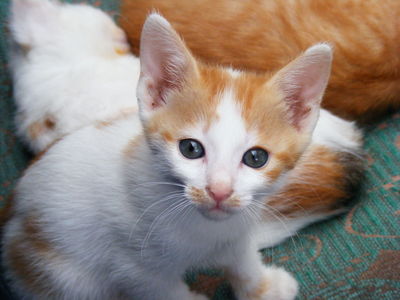
(lambda (params) body) - Build a new function with the given parameters and instructions.(o fun1 fun2 fun3 ... funn) - Build a new function that applies funn then … then fun3 then fun2 then fun1 to its parameter.(l-s fun left) - Build a new procedure of the form (lambda (x) (fun left x)).(r-s fun right) - Build a new procedure of the form (lambda (x) (fun x right)).#(expression-with-percents - Build a new function that takes one parameter for each percent thing in expression-with-percent.The kitten image was downloaded from http://public-photo.net/displayimage-2485.html. Unfortunately, the site behind that URL has disappeared. Nonetheless, the kitten image lives on.
This lab was newly written for Spring 2024, based on a lab from Spring 2017. It was updated somewhat in Spring 2025. It was updated again in Fall 2026 for Scamper.